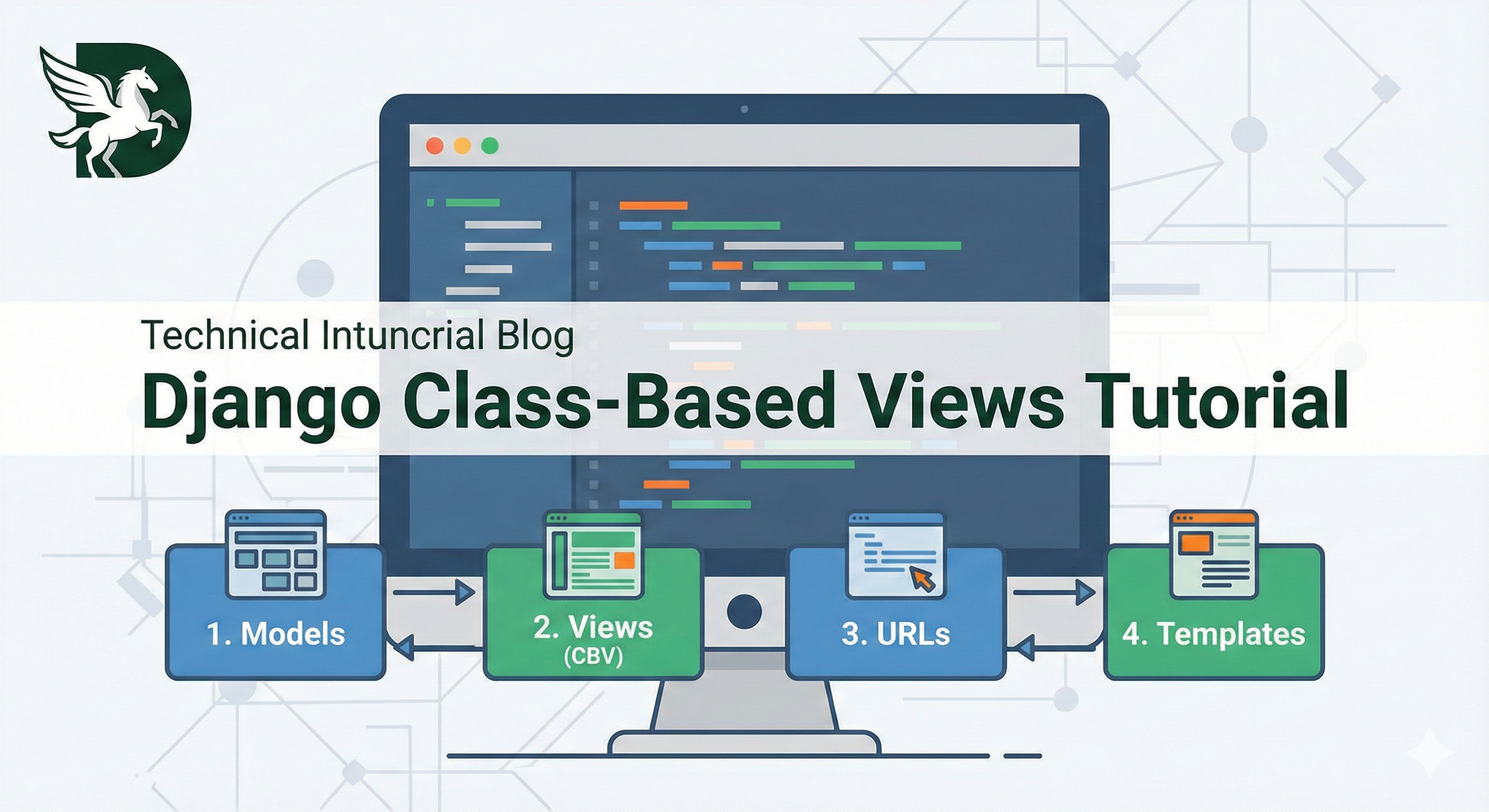
In Django, Class-Based Views (CBVs) are an alternative way to define views using Python classes instead of functions.1 While Function-Based Views (FBVs) are simpler and easier to read for small tasks, CBVs provide powerful object-oriented features that help you write cleaner, more reusable code for complex applications.
Key Characteristics:
-
Inheritance: You can create a base view class and inherit its functionality in other views, reducing code duplication.
-
Mixins: CBVs allow you to plug in reusable behaviors (like
LoginRequiredMixin) easily.2 -
Generic Views: Django provides built-in "Generic CBVs" (like
ListView,CreateView,DetailView) that handle common web patterns (CRUD operations) automatically, saving you from writing boilerplate code.3
Comparison at a Glance:
| Feature | Function-Based View (FBV) | Class-Based View (CBV) |
| Structure | Defined as a Python function. | Defined as a Python class. |
| HTTP Methods | Handles GET, POST, etc. via if statements inside the function. |
Handles methods via separate class methods (def get, def post). |
| Best Use Case | Simple logic, custom one-off pages. | Standard CRUD operations, complex logic requiring code reuse. |
In short: CBVs are designed to make your development faster by letting you "configure" views rather than "write" them from scratch every time.
Step 1: The Model
First, ensure you have a model to work with.
File: models.py
from django.db import models
from django.urls import reverse

class Article(models.Model):
    title = models.CharField(max_length=200)
    content = models.TextField()
    created_at = models.DateTimeField(auto_now_add=True)

    def __str__(self):
        return self.title

    # Required for CBVs to know where to go after creating/updating
    def get_absolute_url(self):
        return reverse('article_detail', kwargs={'pk': self.pk})
Step 2: The Views (Class-Based)
This contains all standard CRUD operations (Create, Read, Update, Delete).
File: views.py
from django.views.generic import ListView, DetailView, CreateView, UpdateView, DeleteView
from django.urls import reverse_lazy
from .models import Article

# 1. List View - Displays all articles
class ArticleListView(ListView):
    model = Article
    template_name = 'article_list.html'
    context_object_name = 'articles'  # The variable name to use in the HTML loop

# 2. Detail View - Displays a single article
class ArticleDetailView(DetailView):
    model = Article
    template_name = 'article_detail.html'

# 3. Create View - Form to create a new article
class ArticleCreateView(CreateView):
    model = Article
    template_name = 'article_form.html'
    fields = ['title', 'content']

# 4. Update View - Form to edit an existing article
class ArticleUpdateView(UpdateView):
    model = Article
    template_name = 'article_form.html'
    fields = ['title', 'content']

# 5. Delete View - Confirmation to delete
class ArticleDeleteView(DeleteView):
    model = Article
    template_name = 'article_confirm_delete.html'
    success_url = reverse_lazy('article_list')  # Redirect here after deleting
Step 3: The URLs
Map the views to URL paths.
File: urls.py
from django.urls import path
from .views import (
    ArticleListView,
    ArticleDetailView,
    ArticleCreateView,
    ArticleUpdateView,
    ArticleDeleteView
)

urlpatterns = [
    path('', ArticleListView.as_view(), name='article_list'),
    path('article/<int:pk>/', ArticleDetailView.as_view(), name='article_detail'),
    path('article/new/', ArticleCreateView.as_view(), name='article_new'),
    path('article/<int:pk>/edit/', ArticleUpdateView.as_view(), name='article_edit'),
    path('article/<int:pk>/delete/', ArticleDeleteView.as_view(), name='article_delete'),
]
Step 4: The Templates
Create these files inside your app's template folder (e.g., templates/).
1. List Page (article_list.html)
<h2>Articles</h2>
<a href="{% url 'article_new' %}">Create New Article</a>
<ul>
    {% for article in articles %}
        <li>
            <a href="{% url 'article_detail' article.pk %}">{{ article.title }}</a>
            (<a href="{% url 'article_edit' article.pk %}">Edit</a> |
            <a href="{% url 'article_delete' article.pk %}">Delete</a>)
        </li>
    {% empty %}
        <li>No articles found.</li>
    {% endfor %}
</ul>
2. Detail Page (article_detail.html)
<h2>{{ object.title }}</h2>
<p>{{ object.content }}</p>
<p><small>Created: {{ object.created_at }}</small></p>
<a href="{% url 'article_list' %}">Back to list</a>
3. Form Page (article_form.html)
Used for both Create and Update views.
<h2>{% if object %}Edit{% else %}New{% endif %} Article</h2>
<form method="post">
    {% csrf_token %}
    {{ form.as_p }}
    <button type="submit">Save</button>
</form>
4. Delete Confirmation (article_confirm_delete.html)
<h2>Delete Article?</h2>
<p>Are you sure you want to delete "{{ object.title }}"?</p>
<form method="post">
    {% csrf_token %}
    <button type="submit">Confirm Delete</button>
</form>
<a href="{% url 'article_list' %}">Cancel</a>