Building an API with Django REST Framework
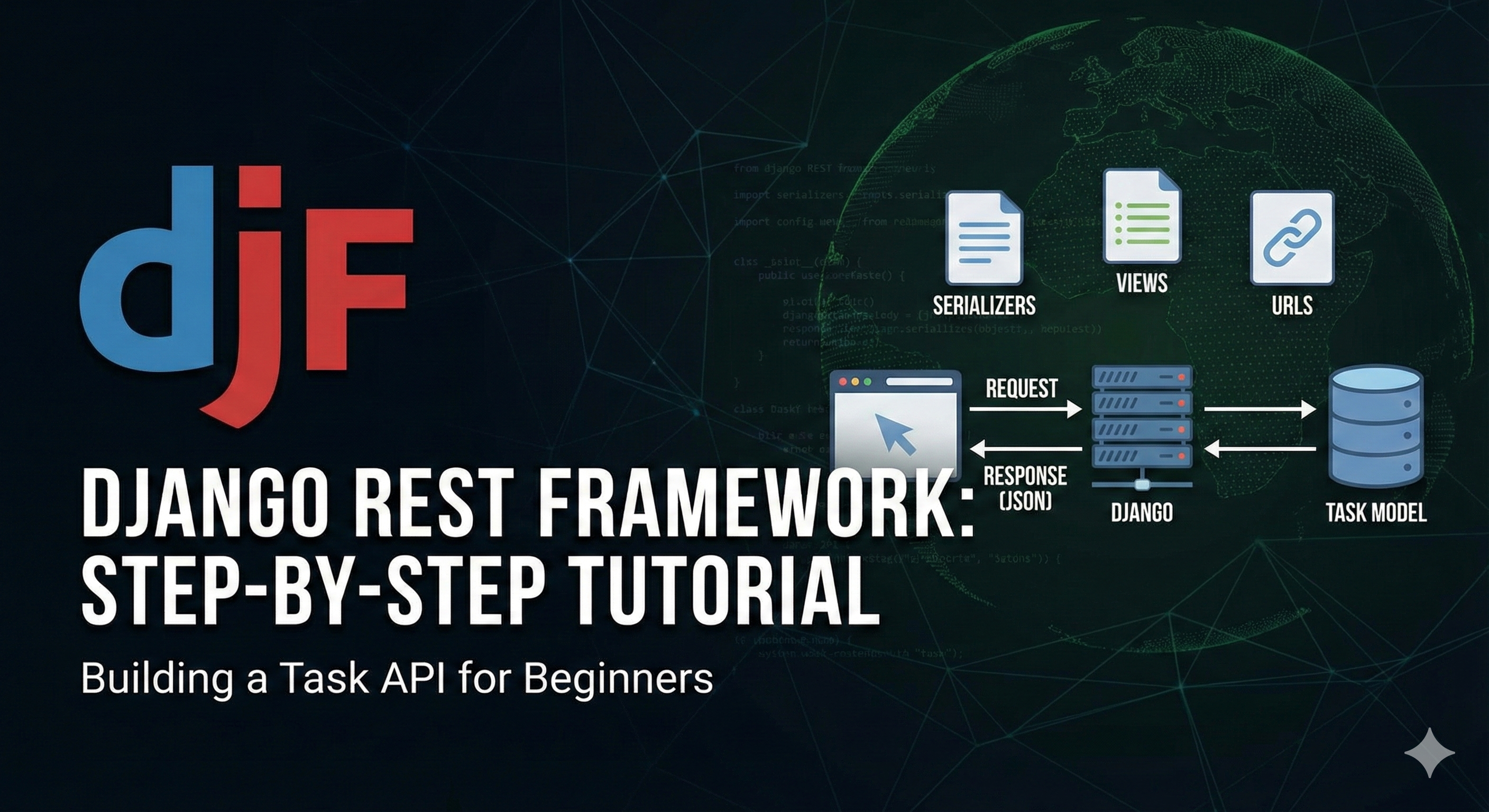
This tutorial assumes you have already created your Django project and have the Task model defined in your models.py. We will now turn that model into a fully functional API using the Django REST Framework (DRF).
Step 1: Install and Configure DRF
First, we need to install the package. Open your terminal and run:
pip install djangorestframework
Next, tell your Django project that you want to use this library. Open your project's settings.py file and add 'rest_framework' to the INSTALLED_APPS list:
Start app api:
python3 manage.py startapp api
Next, tell your Django project that you want to use this library. Open your project's settings.py file and add 'rest_framework' to the INSTALLED_APPS list:
# settings.py

INSTALLED_APPS = [
    ...
    'django.contrib.staticfiles',
    'rest_framework', # Add this line
    'api',  # Ensure your app is also listed
]
Step 2: Create a Serializer
To send data over the internet (usually as JSON), we need to translate our Python database objects into a format that can be easily rendered. This process is called serialization.
Create a new file named serializers.py inside your app directory (the same folder where models.py lives).
# serializers.py

from rest_framework import serializers
from .models import Task

class TaskSerializer(serializers.ModelSerializer):
    class Meta:
        model = Task
        # We include all fields from your model
        fields = ['id', 'title', 'completed', 'created_at', 'creator', 'modifier', 'assign_to']
Step 3: Create the View
Now we need to define the logic for our API. We will use a ViewSet. A ViewSet is a special type of class-based view that automatically provides implementations for standard actions like:
-
List (GET all tasks)
-
Create (POST a new task)
-
Retrieve (GET a single task)
-
Update (PUT/PATCH a task)
-
Destroy (DELETE a task)
Open your views.py file and add the following:
# views.py

from rest_framework import viewsets
from .models import Task
from .serializers import TaskSerializer

class TaskViewSet(viewsets.ModelViewSet):
    """
    API endpoint that allows tasks to be viewed or edited.
    """
    queryset = Task.objects.all().order_by('-created_at')
    serializer_class = TaskSerializer
Step 4: Configure URLs
Finally, we need to map a URL to our view so users can access the API. DRF provides a Router to handle this automatically.
Create a urls.py file in your app directory (if it doesn't exist) or modify the existing one:
# urls.py from django.urls import path, include from .views import TaskViewSetfrom rest_framework import routers# Create a router and register our viewset with it.router = routers.SimpleRouter()router.register(r"",TaskViewSet, basename="task_viewset")urlpatterns = []urlpatterns += router.urls
Don't forget: If this is a new app, ensure this urls.py is included in your main project's urls.py.
Step 5: Test the API
Now, run your server:
python manage.py runserver
Summary of What We Built
| Component | Purpose |
| Serializer | Converts your Task model instances into JSON data. |
| ViewSet | Handles the logic (Creating, Reading, Updating, Deleting). |
| Router | Automatically generates the URL paths for your API. |
Generic API Views.
While ModelViewSet (from the previous step) is great for quick setups, developers often prefer Generic Views because they offer more control. For example, you might want a "Read-Only" endpoint that only allows Listing and Retrieving, but not Creating or Deleting.
Using the specific classes (ListAPIView, CreateAPIView, etc.) allows you to build exactly what you need.
Step 1: Update views.py
Replace the content of your views.py with the following code. We are importing the generic views from rest_framework.generics and creating a separate class for each action.
# views.py

from rest_framework import generics
from .models import Task
from .serializers import TaskSerializer

# 1. ListAPIView: Used for read-only endpoints to represent a collection of model instances.
class TaskListAPIView(generics.ListAPIView):
    queryset = Task.objects.all().order_by('-created_at')
    serializer_class = TaskSerializer

# 2. CreateAPIView: Used for create-only endpoints.
class TaskCreateAPIView(generics.CreateAPIView):
    queryset = Task.objects.all()
    serializer_class = TaskSerializer

# 3. RetrieveAPIView: Used for read-only endpoints to represent a single model instance.
class TaskRetrieveAPIView(generics.RetrieveAPIView):
    queryset = Task.objects.all()
    serializer_class = TaskSerializer
    # Note: We don't need to filter by ID manually; the view handles lookup_field='pk' by default.

# 4. UpdateAPIView: Used for update-only endpoints for a single model instance.
class TaskUpdateAPIView(generics.UpdateAPIView):
    queryset = Task.objects.all()
    serializer_class = TaskSerializer

# 5. DestroyAPIView: Used for delete-only endpoints for a single model instance.
class TaskDestroyAPIView(generics.DestroyAPIView):
    queryset = Task.objects.all()
    serializer_class = TaskSerializer
Step 2: Update urls.py
Unlike ViewSets, Generic Views cannot be used with a Router. We must define explicit URL patterns. This gives you exact control over your URL structure.
Update your urls.py:
# urls.py

from django.urls import path
from .views import (
    TaskListAPIView,
    TaskCreateAPIView,
    TaskRetrieveAPIView,
    TaskUpdateAPIView,
    TaskDestroyAPIView
)

urlpatterns = [
    # URLs for the collection (List and Create)
    path('tasks/', TaskListAPIView.as_view(), name='task-list'),
    path('tasks/create/', TaskCreateAPIView.as_view(), name='task-create'),

    # URLs for individual items (Retrieve, Update, Destroy)
    # We must pass the Primary Key (<int:pk>) so the view knows which task to act on.
    path('tasks/<int:pk>/', TaskRetrieveAPIView.as_view(), name='task-detail'),
    path('tasks/<int:pk>/update/', TaskUpdateAPIView.as_view(), name='task-update'),
    path('tasks/<int:pk>/delete/', TaskDestroyAPIView.as_view(), name='task-delete'),
]
Step 3: Comparison Table
To help you understand when to use which class, here is a quick reference:
| Class | HTTP Method | Purpose |
| ListAPIView | GET |
Returns an array/list of all tasks. |
| CreateAPIView | POST |
Adds a new task to the database. |
| RetrieveAPIView | GET |
Returns the data for a single task (requires ID). |
| UpdateAPIView | PUT / PATCH |
Modifies an existing task (requires ID). |
| DestroyAPIView | DELETE |
Removes a task from the database (requires ID). |
Step 4: A Cleaner Approach (Best Practice)
While the method above works perfectly, having 5 separate views for one model can get cluttered. In production, Django REST Framework provides combined generic views to group common patterns.
You can often condense the code above into just two views:
-
ListCreateAPIView: Handles both listing (GET) and creating (POST).
-
RetrieveUpdateDestroyAPIView: Handles reading (GET), updating (PUT), and deleting (DELETE) a single item.
Here is how you would typically write this in a real project:
# views.py (Optimized version)

from rest_framework import generics
from .models import Task
from .serializers import TaskSerializer

class TaskListCreateView(generics.ListCreateAPIView):
    queryset = Task.objects.all()
    serializer_class = TaskSerializer

class TaskDetailView(generics.RetrieveUpdateDestroyAPIView):
    queryset = Task.objects.all()
    serializer_class = TaskSerializer
This reduces your URL configuration to just two lines as well, while keeping the functionality identical to the 5 separate classes.